Input triggering now available in the FFT analyzer on iOS

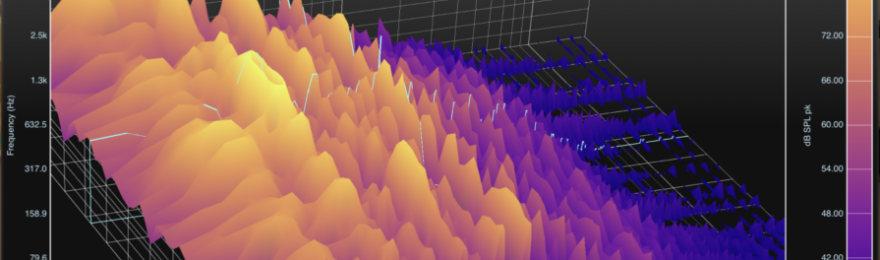
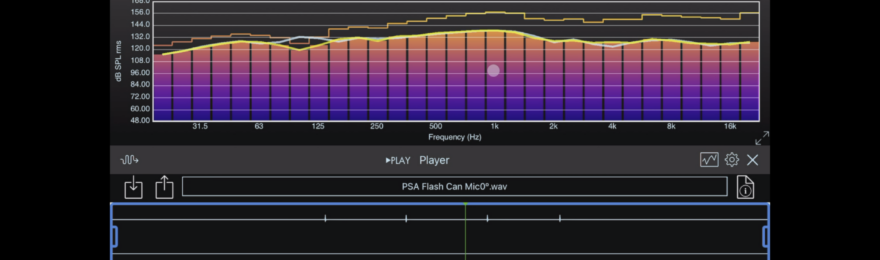
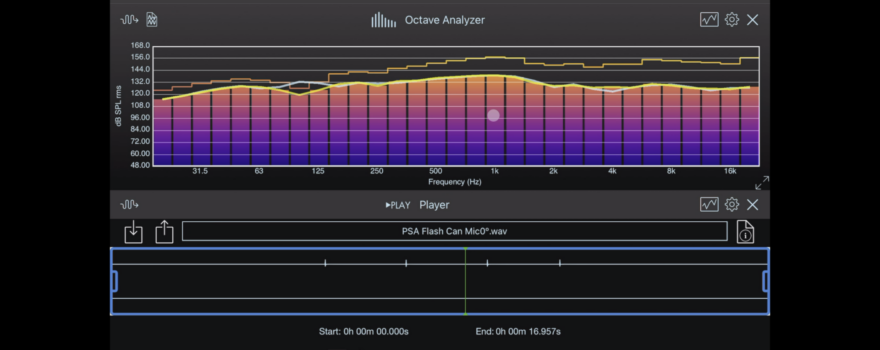
SignalScope 3.5 and SignalScope Pro 2.5 for iOS have arrived on the App Store with added support for input triggering in the FFT spectrum analyzer tool. Triggering support essentially matches that in the Oscope tool, including Auto, Normal, and Single-shot triggering modes, positive or negative slope triggering, and a user-definable input level threshold.

Also new in these apps is a 1 second per division time scale in the Oscope tool that enables up to 10 seconds of time data to be visible in the Oscope display.

SignalScope 3.5 and SignalScope Pro 2.5 are both available for download on the App Store.

SignalScope Pro Screenshot


Download SignalScope 3.5

Download SignalScope Pro 2.5


Pop those balloons with RoomScope 1.3

A common request for RoomScope has been to directly capture room impulse response (IR) data using impulsive noise sources, such as balloons or starter pistols. RoomScope 1.3 now supports both single-channel and dual-channel IR data acquisition. The dual-channel capability has been built-in since version 1.0 of RoomScope, enabling the use of an omnidirectional loudspeaker and various excitation signals including broadband noise and frequency sweeps. The new single-channel IR acquisition tool can capture IR data directly by popping a balloon or firing a starter pistol within an acoustic space of interest. The input signal can be triggered in order to automatically begin data acquisition when the instantaneous input level crosses a user-defined threshold.

It should be noted that single channel analysis doesn’t mean that only one channel of data can be captured at one time. In fact, with an iPad and a multi-channel USB audio interface, it is possible to capture IR data from multiple microphones simultaneously (obviously, the mics and supporting cables, adapters, etc, would also be needed). Single channel analysis simply means that each input channel is treated independently from all other input channels. In contrast, dual-channel analysis means that a single measurement is based on data acquired from two input channels (using auto and cross-spectral analysis).

RoomScope 1.3 is now available for download on the App Store.

RoomScope 1.3 Screenshot

Download RoomScope 1.3

Room acoustics comes to the Mac in Electroacoustics Toolbox 3.2

Have you been looking for a tool to measure the reverberation time, early decay time, clarity and definition of a listening room, auditorium, or concert hall on your Mac? With version 3.2 of Electroacoustics Toolbox, the search has come to an end. Within Electroacoustics Toolbox 3.2 you will find a new room acoustics analyzer tool (sold separately) that puts room acoustics analysis in your grasp.

The new Room Analyzer tool in Electroacoustics Toolbox employs the integrated impulse response method to calculate reverberation time, early decay time, center time, clarity, and definition, as defined in the ISO 3382 standard. The Room Analyzer also allows you to adjust the Schroeder decay curve integration limits with either a click and drag of the mouse or with two independent data cursors. You can plot the calculated room acoustics parameters versus whole or 1/3-octave band center frequency.

Room Analyzer Features:

  • Directly analyze impulse response (IR) data acquired in the Dual FFT Analyzer or Oscilloscope tools.
  • Import impulse responses acquired from other apps and stored in AIF, CAF, or WAV audio files.
  • Export calculated parameter values to CSV, TXT, or MAT files, with the option to include raw IR data.
  • Save impulse response (IR) data to AIF, CAF, or WAV audio files.
  • Save high-resolution plots to PDF files.
  • Analysis
    • Calculate room acoustics parameters according to ISO 3382, including T20, T30, T60, EDT, Ts, C50, C80, D50, and D80, over the entire audio frequency range, or in whole or 1/3-octave bands. Low, mid, and high frequency values for each parameter are also calculated.
    • Plot room parameters versus whole or 1/3-octave center frequency.
    • See the Schroeder decay curve and regression line plotted over the squared IR and manually fine tune the decay curve integration limits.

For whole and 1/3-octave band analysis, the Room Analyzer supports data with sample rates of 44.1 kHz or 48 kHz.

Room Analyzer Screenshot

Electroacoustics Toolbox 3.2 also brings back the Noise Dosimeter tool that was previously available in version 2. The Dosimeter tool is also sold separately.

NoiseDosimeterScreenshot


A free trial of Electroacoustics Toolbox is available for download from FaberAcoustical.com.

The Toolbox is also available for download on the Mac App Store.


RoomScope and IOScope measure longer IRs and use 64-bit FFTs

RoomScope 1.2 and IOScope 2.3 arrived in the iOS App Store this week. Both apps now support impulse response measurements up to 16 seconds long and use double precision (64-bit) FFTs in their measurements. The maximum measurement length is dependent on the amount of memory available on the device, so 16-second measurements are currently only supported on the iPhone 5, iPad 3, and iPad 4. The previous generation of devices, including the iPod touch 5, supports 10-second measurements, and older devices are still limited to measurement durations of 5 seconds or less.

RoomScope 1.2 also offers the following additions:

  • Center time has been added to the list of calculated acoustic parameters.
  • All parameters are now calculated in low, mid, and high frequency bands, as defined by the ISO 3382 standard.
  • The calculation of the clarity and definition parameters (C and D) compensates for the delay of the whole and 1/3-octave band filters, as described in ISO 3382.
  • Raw IR data can now be excluded or included in CSV, MAT, and TXT file data exports.

RoomScope turns your iPad, iPhone, or iPod touch into a room acoustics measurement and analysis tool. With RoomScope, you can measure a room impulse response and then calculate reverberation time, early decay time, center time, clarity, and definition, as defined in the ISO 3382 standard. RoomScope also allows you to adjust the Schroeder decay curve integration limits with the touch of your finger and plot the calculated room parameters versus whole or 1/3-octave band center frequency.

RoomScope


Download RoomScope 1.2

IOScope brings true dual-channel transfer function and impulse response analysis to iOS. With IOScope, measure loudspeaker impedance, frequency response, and sensitivity. Measure a room impulse response. Tune a large sound reinforcement system, time-align a set of surround sound speakers, or optimize your home stereo. Determine the actual cutoff frequencies of your latest speaker crossover circuit, or teach your students the fundamentals of Fourier analysis of dynamic systems.

Measure frequency response magnitude and phase, coherence, and group delay. Time domain functions enable you to measure impulse response and auto/cross-correlation. IOScope includes a built-in signal generator for producing suitable excitation signals to analyze your system or device under test (DUT). See http://youtube.com/faberast for a video demo of loudspeaker impedance measurement.


Download IOScope 2.3


SoundMeter 3.3 can turn your iPhone or iPad into a personal noise dosimeter

SoundMeter 3.3 offers users the option to add a noise dosimeter tool via in-app purchase. The new Dosimeter tool enables you to measure noise dose–the percentage of a maximum permissible daily noise exposure based on an 8-hour time period. The Dosimeter supports criterion levels of 80, 85 and 90 dB, exchange rates of 3, 4 and 5 dB, and thresholds of 40 to 80 dB. The new tool also displays the 8-hour time-weighted average sound level (TWA), as specified by OSHA.

As with other measurements in SoundMeter, the Dosimeter’s accuracy depends on the quality of the microphone used as well as the accuracy of the microphone’s sensitivity calibration within SoundMeter.

SoundMeter 3.3 also includes updated Help files, minor bug fixes, and stability improvements. SoundMeter 3.3 will also continue to run while the screen is locked, which is important for making long-duration measurements, such as noise dose, Leq, and TWA.

  SoundMeter Noise Dosimeter


Download SoundMeter 3.3 on the App Store.


Frequency Response Measurement with SignalScope Pro 3 (Mac)

Although SignalScope Pro does not include the Dual FFT Analyzer tool, found in Electroacoustics Toolbox, it is still equipped to perform basic frequency response measurements. This tutorial focuses on using SignalScope Pro’s FFT Analyzer and Signal Generator tools to measure the frequency response of your audio interface. -> read more …

Frequency Response Measurement with Electroacoustics Toolbox 3

One of the most powerful tools in Electroacoustics Toolbox is the Dual FFT Analyzer, which is capable of measuring system transfer functions and even indicating the quality of the measurement. -> read more …

RoomScope 1.1 offers additional detail

RoomScope version 1.1 for iOS is now available for download on the App Store. -> read more …

Faber Acoustical brings room acoustics to iOS with RoomScope

RoomScopeIcon1024

Faber Acoustical is pleased to announce the immediate availability of RoomScope for iOS on the App Store. RoomScope both measures and analyzes room impulse responses, calculating acoustical parameters such as reverberation time, early decay time, clarity and definition. Room acoustics parameters may even be calculated and displayed in whole or 1/3 octave frequency bands. -> read more …

Are you looking for a measurement microphone for your iPhone?

Some time ago, I was made aware of the i436 measurement microphone from MicW. It looked like exactly what was needed to turn any iOS device into a quality sound level meter, or acoustical analysis tool, that you could truly carry around in your pocket, but it was limited in its utility by that pesky low-end roll-off that plagued earlier versions of iOS. -> read more …